 SheetSonar
Google Sheets add-on
Google Trends and Google Flights, right in your spreadsheet
SheetSonar adds two formulas to Google Sheets. Type a keyword or a route, get the number. No code, no copy-paste, no browser tabs.
Formulas
Two formulas
Search interest
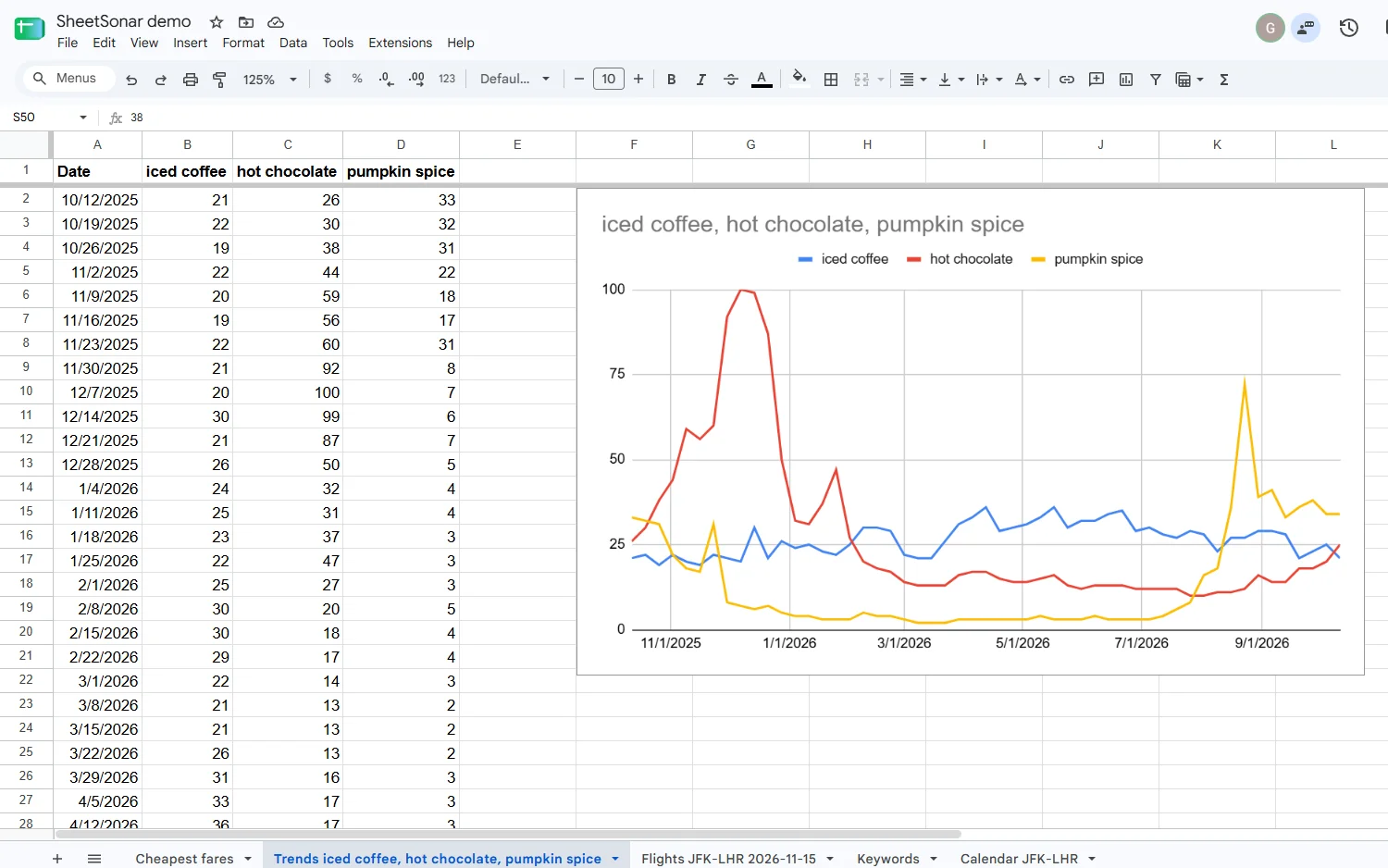
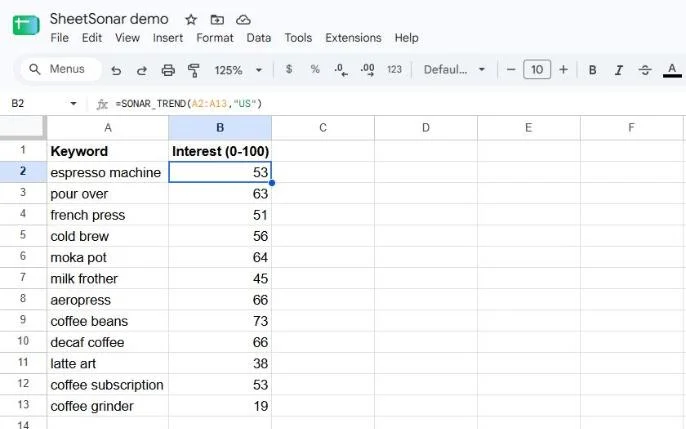
=SONAR_TREND("e-bike", "US")
Average Google Trends interest (0–100) over 12 months. Point it at a column to score 50 keywords at once, or ask for the full curve.
Cheapest fare
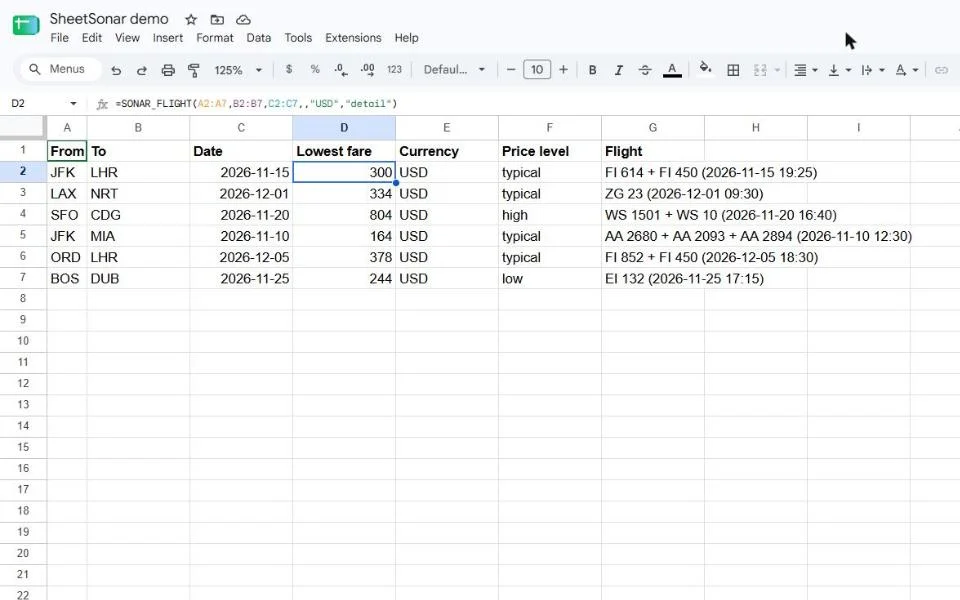
=SONAR_FLIGHT("JFK", "LHR", DATE(2026,11,15))
Lowest Google Flights price for a route and a date, one-way or return, in your currency. Add "detail" for the flight and Google's price level.
Reports
Reports from the menu
Extensions › SheetSonar opens full reports in a new sheet:
- Google Trends report — up to 5 keywords: curves side by side (Date | keyword 1 | keyword 2…), interest by region, related and rising queries.
- All flights of a search — every flight Google shows, with airlines, times, stops, CO₂ and a link.
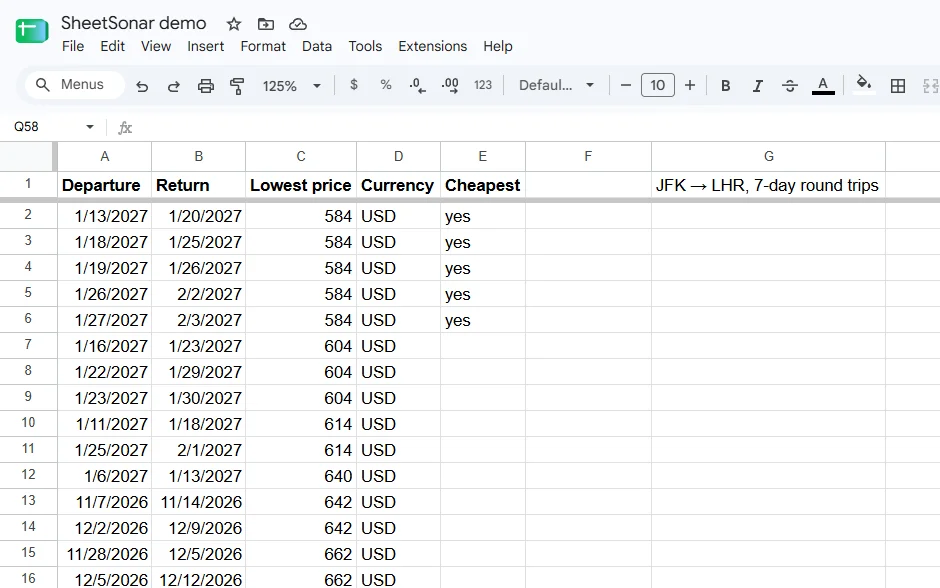
- Fare calendar — the cheapest day to leave over up to a year, the cheapest one flagged.
- Fill selection — hundreds of rows in one go.
Plans
Pricing
Free
€0
20 results a month. Get a key from the menu in one click: no sign-up, no card.
Pro
€9.90 / month
1,000 results a month. Cancel anytime. Payment handled by Polar, taxes included where required.
One result = one value delivered (a keyword, or a route on a date). The same result asked again is not counted twice. Empty or failed searches are free.
Questions
Questions
Where does the data come from?
From the public Google Trends and Google Flights pages, fetched for you when you ask. SheetSonar is not affiliated with Google.
Why does a cell show ⏳?
Fresh searches take up to a minute. Use Extensions › SheetSonar › Refresh pending formulas a moment later.
What does SheetSonar see of my spreadsheet?
Only the spreadsheet you use it in, and only the values you pass to a formula or select. Nothing from your Google account. Details in the privacy policy.
Google Workspace Marketplace
Install
SheetSonar is coming soon to the Google Workspace Marketplace. Questions in the meantime: contact@sheetsonar.com.